Bedrock Flow × Voice dictation for Windows
Talk. It types.
Nothing leaves
your PC.
Press a shortcut, speak, and your words appear in whatever app you are using. Speech recognition runs on your own computer, so your voice and your text stay with you.
Coming soon. Join the waitlist for launch.
Why Flow
Typing is slow.
Talking is not.
Your voice stays on your PC
Speech is turned into text on your own computer. Your recordings and your words are never sent to us or anyone else.
Fast enough to keep up
On a modern graphics card your text usually appears in under a second. It also works without one, just a little slower.
Works where you already type
Email, Slack, documents, browsers, code editors. If it has a text box, Bedrock Flow can type into it.
Tidies up as you go
Optional AI cleanup removes the ums and fixes punctuation, using S1-mini by Superwhisper. It runs on your PC too.
How it works
Three steps.
No learning curve.
Bedrock Flow lives in your system tray and waits for your shortcut. There is nothing to open first.
- 01 / Press
Press your shortcut.
Ctrl + Space by default, or any keys you like. Press once to start, or hold while you talk.
- 02 / Speak
Talk like you normally would.
A small pill shows it is listening. Say it once, without pausing to type or correct.
- 03 / Done
Your words appear.
Press again and the text lands where your cursor is, cleaned up and ready to send.
Built for daily use
Small things that
add up every day.
Knows your words
Add names and terms it should always get right, or connect your Obsidian vault and it learns them from your notes. Read on your PC, never uploaded.
Snippets
Say a short phrase and get a full block of text, such as your address or a standard reply.
A style for each app
Casual in Slack, formal in email. Bedrock Flow picks the writing style by the app you are in.
Settings on every PC
Your vocabulary, snippets and styles sync with your account. Your dictations never do.
Works offline
Once set up, dictation keeps working without internet. Sign in at least once every 30 days.
See your progress
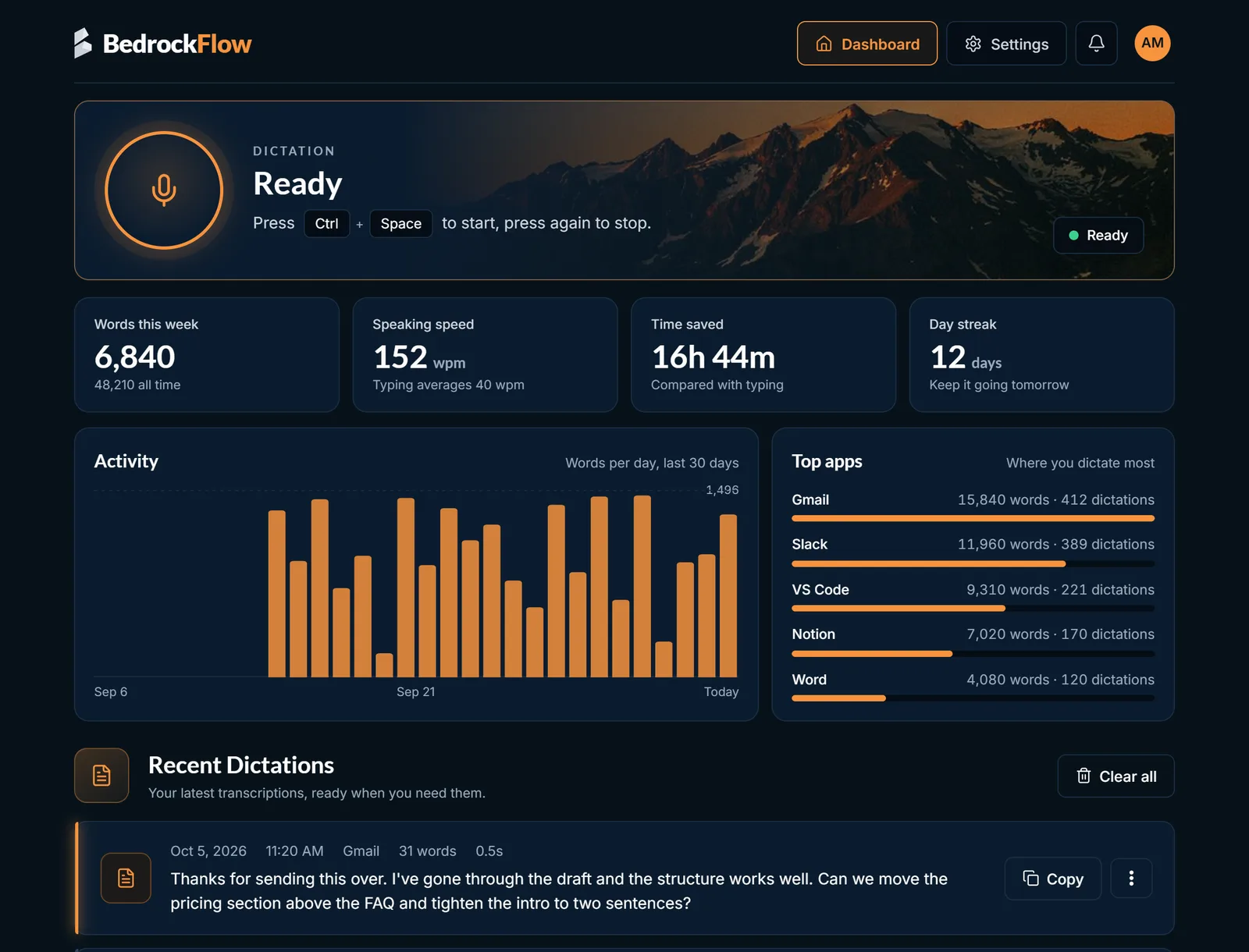
Words dictated, speaking speed, time saved compared with typing, streaks and badges.
Pricing
Start free.
Upgrade when it sticks.
Every plan includes every feature. Try Pro free for 7 days, no card needed.
Free
$0 forever
30 minutes of dictation a week
- All features included
- Speech recognition on your PC
- Minutes reset every Monday
Pro monthly
$9.99 a month
Unlimited dictation
- Everything in Free
- No weekly limit
- Cancel any time
- Best value
Pro yearly
$7.99 a month
Billed $95.88 a year
- Everything in Pro monthly
- Save $24 a year compared with monthly
- Cancel any time
Prices in US dollars. Tax may be added at checkout depending on where you live. The trial starts from the app after you sign up.
Questions
Before you download.
Does my voice or text leave my computer?
No. Speech recognition and AI cleanup both run on your PC. Your account only holds your email, name, optional photo and the settings you choose to sync. Your recordings and dictations are never uploaded.
What do I need to run it?
Windows 10 or 11, 64-bit. A graphics card makes it faster but is not required. The speech model is a one-time download when you set it up.
Which languages does it understand?
English for now.
Does it learn my words?
Yes, without uploading anything. Add your own vocabulary, or connect your Obsidian vault and Bedrock Flow learns your names, projects and terms from the notes you already keep. For each dictation it picks the 200 or so most relevant terms, which is as many as the speech model takes at once.
How does the free trial work?
Try Pro free for 7 days, with no card needed. When it ends you can upgrade, or your account goes back to the free plan. Nothing is lost either way. One trial per account and per PC.
Why do I need an account?
Your account holds your plan and syncs your settings between PCs. You can download or delete your account data at any time from the app.
Who handles payments?
Payments are handled by Paddle, our reseller and merchant of record, which takes care of tax in your country. Prices are in US dollars and tax may be added at checkout.
Can I cancel?
Yes, at any time from your account. Pro keeps working until the end of the period you paid for. See the refund policy for refunds.
Is there a Mac or phone version?
Bedrock Flow is for Windows.
Coming soon
Your next email
could take ten seconds.
Download Bedrock Flow, sign up, and dictate your first sentence in a few minutes.